> For the complete documentation index, see [llms.txt](https://docs.zeeve.io/llms.txt). Markdown versions of documentation pages are available by appending `.md` to page URLs; this page is available as [Markdown](https://docs.zeeve.io/validator-nodes/beam-l1/manage-beam-l1-validator-node.md).

# Manage Beam L1 Validator Node

Once your Beam L1 validator node is ready, you can view the details of your validator node.

On the left navigation panel, click **Validator Nodes** under the **NODE INFRASTRUCTURE** menu item. Then, on the Beam L1 row, click the **Manage** button under Actions.

<figure><img src="https://2761463242-files.gitbook.io/~/files/v0/b/gitbook-x-prod.appspot.com/o/spaces%2F4rJKli4PHnZkHP4Y6plD%2Fuploads%2FU4GjPDzajAQwFo8pDmOL%2Fimage.png?alt=media&amp;token=6e42aa1a-ed71-4b8b-9249-07c9dc59e307" alt=""><figcaption></figcaption></figure>

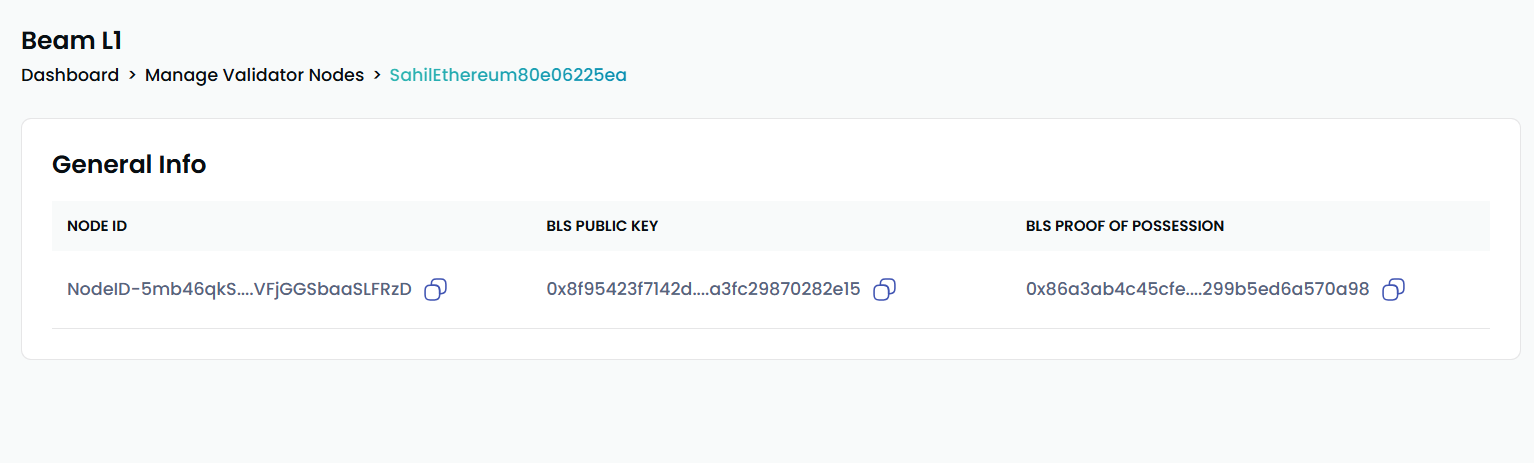
Once you click on **Manage**, you will see the details of your specific validator node. **General Info:** Details about the node, such as its ID, BLS Public Key, and BLS Proof of Possession.

<figure><img src="https://2761463242-files.gitbook.io/~/files/v0/b/gitbook-x-prod.appspot.com/o/spaces%2F4rJKli4PHnZkHP4Y6plD%2Fuploads%2FIR5SWswfDBkJYyHBNBWF%2Fimage.png?alt=media&amp;token=62b20463-05c6-48ae-9e88-d778f7a4240d" alt=""><figcaption></figcaption></figure>

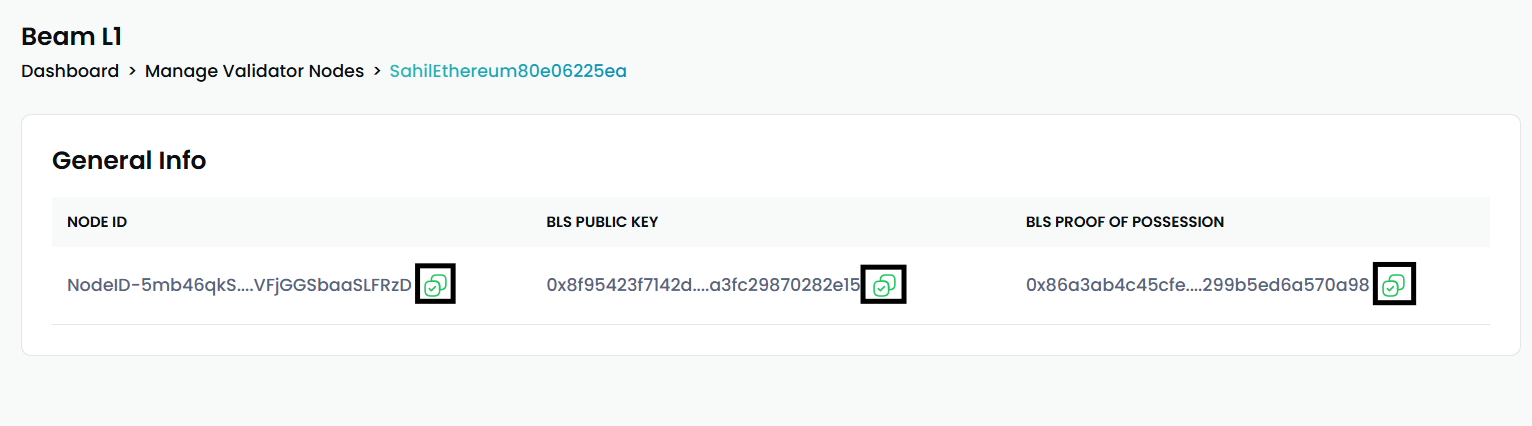
You can also copy the General Info's Node ID, BLS Public Key, and Proof of Possession.

<figure><img src="https://2761463242-files.gitbook.io/~/files/v0/b/gitbook-x-prod.appspot.com/o/spaces%2F4rJKli4PHnZkHP4Y6plD%2Fuploads%2F390CMrdz0xmGRe0tmfiL%2Fimage.png?alt=media&amp;token=e30c6790-9f34-43a9-ab8d-d8987173e17c" alt=""><figcaption></figcaption></figure>